
 EN
5 Troubleshooting Tips for Eliminating Pinholes, Ghosting, and Halo Defects on a woven bag printing machine
When a woven bag printing machine starts producing pinholes, ghosting, or a halo around solid graphics, resist the urge to adjust every station at once. On PP woven material, a visible defect can come from the ink-bearing surface, ink condition, transfer path, pressure, web handling, or the way the job is being run. The practical goal is not to guess the cause; it is to isolate the condition that changed.
For a woven-bag production manager, a woven bag printing machine is only useful when its print checks fit routine production. Start with a retained sample, note the color and station involved, and compare the defect at startup, at normal speed, and after a changeover. A short record gives the next operator something more useful than a vague report that the print “looked wrong.”
First, identify the defect pattern before changing settings
Pinholes are small unprinted openings in an otherwise solid area. Ghosting is a faint secondary image or repeating shadow. A halo is a dark or heavy edge that can appear around type, line art, or halftone detail. These symptoms can overlap, but they do not point to one shared adjustment. On a woven bag printing machine, describe whether the defect repeats at a fixed interval, appears only in one color, grows with speed, or follows a particular roll of material.
- Keep a defect sample: mark the print station, side of web, date, job, and observed speed.
- Change one variable: a pressure change, viscosity correction, or cleaning action should be assessed separately.
- Check the job condition: woven PP is a starting description, not a complete surface specification. Confirm the actual fabric, coating, treatment, and ink system.
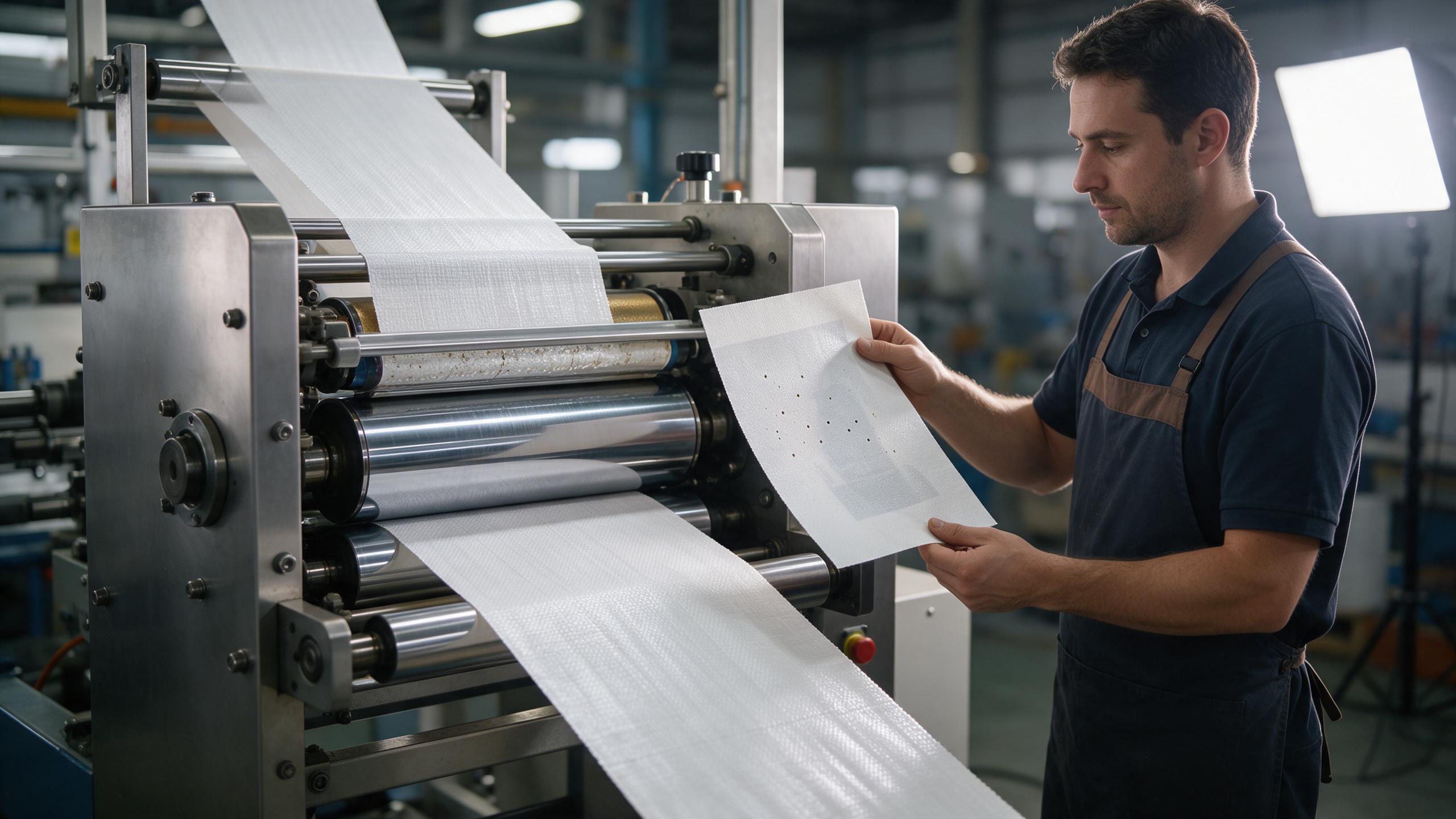
This observation-first habit makes woven bag printing machine Troubleshooting more reliable because it separates a repeatable mechanical pattern from a temporary ink or substrate condition.
Tip 1: Treat pinholes as a transfer and wetting question
For pinholes on a woven bag printing machine, first inspect the printed area and the incoming web rather than increasing pressure immediately. Uneven wetting, contamination, poor ink film formation, dried residue on anilox cells, plate contamination, or an ink condition that no longer transfers evenly can all leave tiny voids. The relevant advantage depends on the material, artwork, and job pattern, not the keyword alone.
Verify that the actual PP woven surface and any coating or treatment match the approved ink system. Surface treatment may affect wetting and adhesion, but its suitability must be confirmed on the current material and process. Then clean and inspect the anilox, plate, doctoring contact, and impression path. If a controlled ink adjustment is made, document what changed and inspect a fresh drawdown or press sample before changing another condition.
Tip 2: Use repeat length to separate ghosting from general weakness
Ghosting on a woven bag printing machine is easier to investigate when the team asks whether the shadow repeats at a recognizable interval. A fixed repeat can direct attention to a rotating component, plate/cylinder relationship, or a transfer pattern. A shadow that changes mainly with speed or ink condition may call for a different investigation. Do not assume that a faint image is a registration fault simply because it resembles one.
Record press speed, color sequence, ink condition, drying behavior, and the location of the duplicate image. Check whether the web is tracking consistently and whether the print changes after a clean, stable run. Defect-Free Printing PP Woven Sack Printer is a useful production aim, but it comes from controlled observations rather than a single adjustment. Before comparing configurations or remedies, have you confirmed the substrate details, color requirements, and changeover pattern?
Tip 3: Check pressure and impression contact when halos appear
A halo on a woven bag printing machine can indicate excessive or uneven contact, particularly when edges look heavy and fine detail begins to spread. Inspect the affected station for plate mounting condition, impression consistency, bounce, and debris that changes contact. Reduce uncertainty by returning to the documented job setup, then making one measured adjustment at a time under the approved operating procedure.
A feature list describes what is installed; it does not show how the setup fits the operator’s workflow. For that reason, a woven bag printing machine should be judged by what operators can observe during setup and during the run: stable web behavior, consistent transfer, and a repeatable inspection routine. Do not trade a halo for weak solids by making large pressure changes without a sample comparison.
Tip 4: Verify web handling before blaming the print unit
Uneven woven material, unstable tension, web wander, or a change in roll behavior can make a woven bag printing machine appear to have a print-unit problem. Look for defect changes near splices, across the web width, or as roll diameter changes. Confirm the web path, tension control condition, and whether the material has changed between lots. Web handling is application-dependent, so the production team should review it against the actual bag material rather than apply a generic setting.
During woven bag printing machine Troubleshooting, compare a retained acceptable sample with the current sample under the same light and viewing distance. This can reveal whether the complaint is a true transfer defect, a register shift, or a material appearance difference.
Tip 5: Build a handover record that shortens the next diagnosis
The final check for a woven bag printing machine is not only whether the latest sample looks acceptable. The team should log the job conditions and observations: material identity, ink system, affected color, speed range, defect location, cleaning performed, and the one change that improved or worsened the result. This prevents the next shift from repeating an untested sequence of adjustments.
Use the record to decide when internal maintenance or a technical discussion is needed. If pinholes remain after substrate, ink, plate, anilox, and cleanliness checks, or if ghosting and halos persist after controlled print and web checks, preserve samples and the job record. Treat that as a discussion point, then verify the relevant configuration and application conditions before finalizing the next production plan.
A practical release check for woven-bag print jobs
Before release, review one fresh sample from each affected condition and ask: Are solids even? Are fine edges clean? Does the image remain stable at the planned speed? Does the result change across the roll? This routine keeps Defect-Free Printing PP Woven Sack Printer from being a slogan and turns it into a repeatable inspection goal for a woven bag printing machine.
By observing the symptom first and then checking material, ink transfer, contact, and web behavior in order, teams can make woven bag printing machine Troubleshooting calmer, more traceable, and easier to hand over.
 Hot News